Intel 14th Gen Core · LGA1700 / 240 mm AIO liquid cooler
Does the Corsair iCUE Link Titan 240 RX RGB fit the Core i9-14900K?
Yes. The Corsair iCUE Link Titan 240 RX RGB fits the Core i9-14900K with 27 W of thermal headroom; we estimate 89 °C under sustained load and 62 °C while gaming, an excellent match.
Reviewed by Farrukh Sufyan SarwarHow we estimate temperaturesPublished Prices verified Model v1.2 · data updated
Full load
89°
Gaming
62°
Idle
35°
Excellent fit
Safe at 89 °C full load
11 °C below the 100 °C junction limit under a sustained all-core load.
As an Amazon Associate, CPU Cooler Check earns from qualifying purchases. How this works
The Corsair iCUE Link Titan 240 RX RGB is an excellent match for the Core i9-14900K, with 27 W of headroom above its 253 W boost ceiling. We estimate 62 °C in games and 89 °C under a full all-core render, leaving quiet-fan-curve room.
Thermal estimate
Both figures assume a 35 °C case-internal ambient and the cooler's sustained rating; the CPU's own junction limit caps the full-load figure.
| Load | Estimate |
|---|---|
| Idle | 35 °C |
| Gaming | 62 °C |
| Full load | 89 °C |
| Junction limit | 100 °C |
- 0–85 % comfortable
- 85–100 % fans ramp
- 100 %+ throttles
- Thermal headroom
- +27 W
- CPU boost / gaming draw
- 253 W / 165 W
- Cooler sustained rating
- 280 W
- Junction limit
- 100 °C
- Cooler height
- 52 mm
- RAM clearance
- Unrestricted
- Sockets in the box
- AM4 · AM5 · LGA1200 · LGA1700 · LGA1851
What the numbers mean for this build
- 01
27 W of sustained headroom
The Core i9-14900K uses 90 % of the Corsair iCUE Link Titan 240 RX RGB's rated capacity at its 253 W ceiling. Fans will ramp under all-core loads but temperatures stay controlled.
- 02
Intel PL2 sustained draw: 253 W
Most Z-series boards leave the Core i9-14900K at an unlimited Tau, so 253 W is a continuous load, not a 56-second burst. A 240 mm aio liquid cooler is undersized for that; either enforce Intel default power limits in BIOS or step up to a 360 mm AIO or dual-tower air cooler.
- 03
240 mm radiator placement
Mount the radiator with tubes at the bottom (front) or the pump below the top of the radiator (top mount) so air pockets collect away from the pump. Total stack is 52 mm with fans, so check top-mount clearance above the motherboard VRM heatsinks.
Will it physically fit?
Drag the sliders to your memory height and case limits. The schematic moves with you and shows where the iCUE Link Titan 240 RX RGB clashes.
Liquid coolers leave the DIMM slots clear.
- RAM heightFits
Liquid coolers leave the DIMM slots completely clear.
- Pump blockFits
Pump block height is negligible; only the radiator mount matters.
- Radiator mountFits
Case supports up to 360 mm radiators; 240 mm fits.
Overall Fits for the iCUE Link Titan 240 RX RGB with your inputs.
Schematic, not to product scale.
Buy it, or compare the alternatives
Three tiers picked for this exact CPU: the cheapest tower that passes, the quietest liquid option per dollar, and the best low-profile heatsink.
This pairing
$89.50as of Nov 2, 05:59 AM UTC · In Stock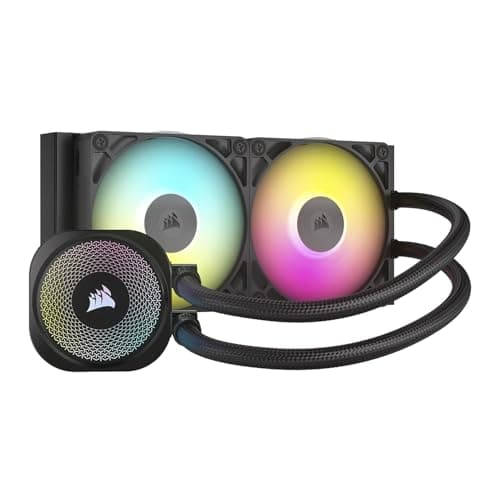 (opens Amazon in a new tab)
CorsairiCUE Link Titan 240 RX RGB
240 mm AIO liquid cooler · 52 mm
280 W rated, 27 W headroom on the Core i9-14900K.
Top air value
$42.39as of Nov 2, 05:59 AM UTC · In Stock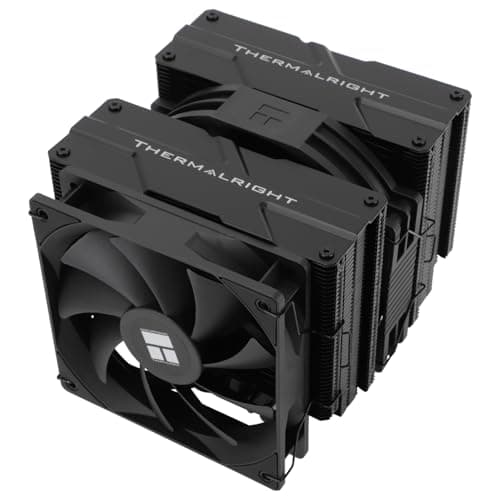 (opens Amazon in a new tab)
ThermalrightPeerless Assassin 140
Dual-tower air cooler · 157 mm
27 W of headroom; the best-value tower air cooler that passes on this CPU
Silent liquid pick
~$54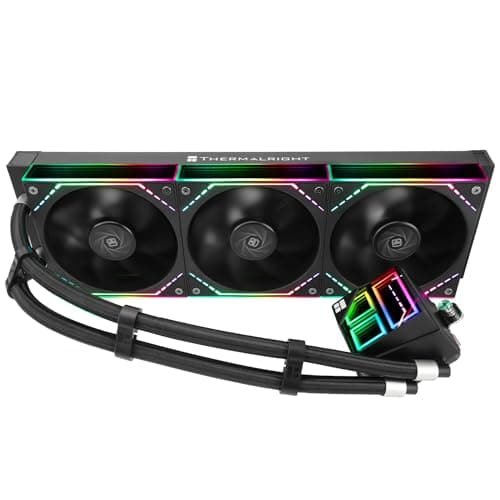 (opens Amazon in a new tab)
ThermalrightFrozen Infinity 360
360 mm AIO liquid cooler · 52 mm
Estimated 80 °C under full load with quiet fan curves
Small-form-factor pick
$27.99as of Nov 2, 05:59 AM UTC · In Stock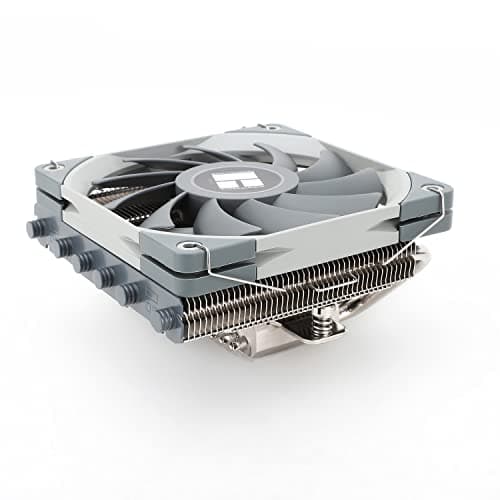
ThermalrightAXP120-X67
Low-profile air cooler · 67 mm
67 mm tall; best low-profile option, but expect throttling in all-core loads
Not recommended for this CPU
Full analysisProduct prices and availability are accurate as of the date/time indicated and are subject to change. Any price and availability information displayed on Amazon at the time of purchase will apply to the purchase of this product.
Related reports
Other coolers on the Core i9-14900K
- Thermalright Peerless Assassin 120 SEAcceptable fit
- Thermalright Peerless Assassin 120Acceptable fit
- Thermalright Phantom Spirit 120 SEAcceptable fit
- Thermalright Phantom Spirit 120 EVOAcceptable fit
- Noctua NH-D15Acceptable fit
- Noctua NH-D15 G2Excellent fit
- Noctua NH-D15SAcceptable fit
- Noctua NH-D12LThrottling risk
- be quiet! Dark Rock Pro 5Acceptable fit
- Scythe Fuma 3Acceptable fit
Corsair iCUE Link Titan 240 RX RGB on other CPUs
Terms used on this page
- Thermal headroom
- The cooler's sustained dissipation rating minus the CPU's boost power limit, in watts. Positive headroom lets fans run slower and quieter; 25 W or more is rated Excellent here.
- TjMax
- The maximum junction temperature the maker allows, typically 95–100 °C. AMD lists 90 °C for the Ryzen 7 5800X3D, 89 °C for the 7800X3D and 95 °C for the 9800X3D. At TjMax the CPU throttles clocks to stay in place; it will not overheat, but it will lose performance.
- PL1 / PL2
- Intel's two power limits. PL1 (Processor Base Power) is the sustained draw the CPU settles at; PL2 (Maximum Turbo Power) is the short-term boost ceiling. Many desktop boards run PL2 indefinitely, so a cooler must be sized for PL2, not PL1.
- Thermal throttling
- Automatic clock reduction when the CPU hits TjMax. A pairing is flagged as a throttling risk when the modelled full-load temperature reaches the junction limit or the cooler is rated 15 W or more below the CPU's boost power.
- RAM clearance
- The tallest memory module that fits under an air cooler's front fan in its stock position. Dual-tower coolers with less than 42 mm clash with tall RGB kits (typically 44 mm) unless the fan is raised.
- CPU cooler height
- The installed height of an air cooler from the motherboard, compared against the case's published CPU cooler clearance. Coolers at or above 160 mm exclude many compact Micro-ATX and tempered-glass mid-towers.
- AIO liquid cooler
- A sealed closed-loop liquid cooler with a pump block and a 120–420 mm radiator. Radiator length determines case compatibility; thickness plus fans determines top-mount clearance above the VRM heatsinks.
- ILM
- Intel's Independent Loading Mechanism, the socket clamp. On LGA1700 the stock ILM bends the long CPU package slightly, reducing cold-plate contact; contact frames replace it to improve temperatures.
Frequently asked questions
Will the Corsair iCUE Link Titan 240 RX RGB keep the Core i9-14900K from thermal throttling?
Yes. The estimated full-load temperature is 89 °C, 11 °C below the 100 °C throttle point.
What temperature should I expect while gaming on the Core i9-14900K with this cooler?
Around 62 °C with a 35 °C case ambient, because GPU-bound games only draw about 165 W from the CPU package. Cooler rooms and better case airflow lower that figure.
What radiator mount does the Corsair iCUE Link Titan 240 RX RGB need?
A 240 mm mount in the top or front of the case, with about 52 mm of depth for the radiator and fans.
Is the Corsair iCUE Link Titan 240 RX RGB compatible with the LGA1700 socket?
Yes, LGA1700 hardware is included. Supported sockets: AM4, AM5, LGA1200, LGA1700, LGA1851.
Hubs: Core i9-14900K · Corsair iCUE Link Titan 240 RX RGB · LGA1700